Warung Bebas

Selasa, 19 Juni 2012

Google Finally Takes A Clear Stance On Mobile SEO Practices

Google says there are three basic configurations when going mobile, however they do seem to strongly recommend going with the responsive design approach.
  1. Sites that use responsive web design, i.e. sites that serve all devices on the same set of URLs, with each URL serving the same HTML to all devices and using just CSS to change how the page is rendered on the device. This is Google’s recommended configuration.
  2. Sites that dynamically serve all devices on the same set of URLs, but each URL serves different HTML (and CSS) depending on whether the user agent is a desktop or a mobile device.
  3. Sites that have a separate mobile and desktop sites.

Responsive Design Approach

Google says if possible, they recommend you go with the responsive design approach. This is where you use CSS3 media queries to alter the way the page renders on mobile devices. In this case, there is one URL, one content, one HTML code but CSS media queries to specify which CSS rules apply for the browser displaying the page. Google says the advantages of this method include having one URL making it easier for your users to interact with the page and enable Google’s “algorithms to assign the indexing properties to your content.” It is also more efficient when Google is crawling your content because Google doesn’t have to crawl multiple pages.

Device-Specific HTML Approach

If you are going with the dynamic serving configuration, which is fine, Google recommends you use the Vary HTTP header to give Google a hint that the content and CSS may change based on the useragent. The header is commonly used for caching purposes but can also be used in this situation to communicate the content has changed based on the useragent. In this case, it would be used as a indexing and crawling signal for Googlebot-Mobile.
Pierre from Google explains:
As for the separate mobile site configuration, since there are many ways to do this, our recommendation introduces annotations that communicate to our algorithms that your desktop and mobile pages are equivalent in purpose; that is, the new annotations describe the relationship between the desktop and mobile content as alternatives of each other and should be treated as a single entity with each alternative targeting a specific class of device. These annotations will help us discover your smartphone-optimized content and help our algorithms understand the structure of your content, giving it the best chance of performing well in our search results.
Google has a developer site with more on how to implement this solution. Please note that depending on if you go with the new URL versus the same URL, the annotations Google asks you to use are different. So during your implementation, please read the developer site.
(1) When you use the different HTML approach but the same URL, Google wants you to use the HTTP Vary Header as a hint for GoogleBot-Smartphone to crawl the site.
(2) When you use the different HTML approach but a different URL, Google wants you to use a rel=alternate on the desktop version and use a canonical on the mobile version.
Again, when possible, go the responsive approach but when you cannot, Google can and does support the device-specific HTML approach but remember to communicate to Google that the content is changing based on the useragent.

Hitachi Vitrual Show

Senin, 18 Juni 2012

Bing Is For Doing Things It Tells You Not To Do

Google has confirmed the rumors of a Panda refresh happening over the weekend.
Google said this refresh started rolling out on Friday, June 8th and has an impact of less than 1% of search queries in the U.S. and about 1% worldwide.
As I said, the search forums took notice to major changes in the search results, specifically impacting sites that were originally hit by the Panda update. I reached out to Google this morning for a confirmation and they have confirmed the update.
Previously, Google pushed out Panda 3.6 on April 27th, about 6 weeks before this update. Google tends to do Panda and even Penguin refreshes every one to two months.
Along comes his friend Neil Black who suggests jumping off a cliff. OK, a big rock, though some of the videos he links to call it a cliff jump:
That link, by the way, doesn’t work for me. Nor can I figure out any way to get a page like you see above. Bing Videos doesn’t host content as with YouTube, so you can’t have a page of your own uploaded videos as seems to be appearing in the ad
Postscript: Mystery solved! Bing emailed me to say that this type of page appears if you share a link from the results. So if you found a video in Bing, then shared that link through Bing, you’d get to a page like shows in the ad. In fact, here it is.
But back to Kevin, who does a search for “hawaii flights” on Bing and is on his way. Friends keep telling him about cool things to do, such as hidden trails and to try spicy poke. Eventually, however, his date with the cliff jump arrives. Here he goes!

 Hitachi Data Systems Resource Library

Sabtu, 16 Juni 2012

How to embed Flash Player content using SWFObject dynamic publishing

STEP 1: Create alternative content using standards compliant markup

SWFObject's dynamic embed method follows the principle of progressive enhancement and replaces alternative HTML content for Flash content when enough JavaScript and Flash plug-in support is available. First define your alternative content and label it with an id:

xmlns="http://www.w3.org/1999/xhtml" lang="en" xml:lang="en">


</span><span class="pln">SWFObject dynamic embed - step 1</span><span class="tag">
   
http-equiv="Content-Type" content="text/html; charset=iso-8859-1" />


id="myContent">
     
Alternative content


STEP 2: Include the SWFObject JavaScript library in the head of your HTML page

The SWFObject library consists of one external JavaScript file. SWFObject will be executed as soon as it is read and will perform all DOM manipulations as soon as the DOM is loaded - for all browsers that support this, like IE, Firefox, Safari and Opera 9+ - or otherwise as soon as the onload event fires:

xmlns="http://www.w3.org/1999/xhtml" lang="en" xml:lang="en">


</span><span class="pln">SWFObject dynamic embed - step 2</span><span class="tag">
   
http-equiv="Content-Type" content="text/html; charset=iso-8859-1" />
 
   
type="text/javascript" src="swfobject.js">


id="myContent">
     
Alternative content


STEP 3: Embed your SWF with JavaScript

swfobject.embedSWF(swfUrl, id, width, height, version, expressInstallSwfurl, flashvars, params, attributes, callbackFn) has five required and five optional arguments:
  1. swfUrl (String, required) specifies the URL of your SWF
  2. id (String, required) specifies the id of the HTML element (containing your alternative content) you would like to have replaced by your Flash content
  3. width (String, required) specifies the width of your SWF
  4. height (String, required) specifies the height of your SWF
  5. version (String, required) specifies the Flash player version your SWF is published for (format is: "major.minor.release" or "major")
  6. expressInstallSwfurl (String, optional) specifies the URL of your express install SWF and activates Adobe express install. Please note that express install will only fire once (the first time that it is invoked), that it is only supported by Flash Player 6.0.65 or higher on Win or Mac platforms, and that it requires a minimal SWF size of 310x137px.
  7. flashvars (Object, optional) specifies your flashvars with name:value pairs
  8. params (Object, optional) specifies your nested object element params with name:value pairs
  9. attributes (Object, optional) specifies your object's attributes with name:value pairs
  10. callbackFn (JavaScript function, optional) can be used to define a callback function that is called on both success or failure of creating a Flash plug-in on the page (see API documentation) NOTE: You can omit the optional parameters, as long as you don't break the parameter order. If you don't want to use an optional parameter, but would like to use a following optional parameter, you can simply pass false as its value. For the flashvars, params and attributes JavaScript Objects, you can also pass an empty object instead: {}.

    xmlns="http://www.w3.org/1999/xhtml" lang="en" xml:lang="en">


    </span><span class="pln">SWFObject dynamic embed - step 3</span><span class="tag">
       
    http-equiv="Content-Type" content="text/html; charset=iso-8859-1" />
       
    type="text/javascript" src="swfobject.js">
       
       
    type="text/javascript">
        swfobject
    .embedSWF("myContent.swf", "myContent", "300", "120", "9.0.0");


    id="myContent">
         
    Alternative content


    Resource: http://code.google.com/p/swfobject/wiki/documentation
     
    Hitachi Corporate Resources

Rabu, 23 Mei 2012

The Future of SEO Has Arrived

Google has finally made a massive shift in the way they operate, and we’re talking more than just updates and over optimization penalties.
We’ve been covering in great detail the latest search updates in Google, and I’ve shared some powerful tricks to take advantage of all the recent changes.
Today we’re going to look into the future of search and SEO and come out the other side with a clear picture of what’s next.
I’ll share with you new strategies I’ve already begun to put into place, and ones that you need to employ to stay relevant in this new world of search.
What happened?
Yesterday Google just announced that they are starting to roll out something they call “The Knowledge Graph”
Essentially, this is a fundamental shift in the nature of search and the results presented.
They refer to this update as “Things not strings.”  In other words, they are more interested in understanding the relationship of searches and terms instead of simply matching listings to series of phrases.
I previously conjectured that related keywords had changed and was a large part in recent listing getting jumbled around.
This latest news seems to support that idea, as now more than ever relationships will make a big difference in the results displayed.  It would seem that they had to focus extensively on decoding these relationships to develop such an update.
To illustrate this new approach, the example given was a search for “Taj Mahal.”  You might be searching for the building or maybe something entirely different like the musician.
Screen Shot 2012 05 17 at 10.40.17 AM The Future of SEO Has Arrived: Get Informed
In Google’s latest revision you will have the option to choose.  It will already know there are more varieties.
In addition, they are looking to include more facts and information related to the topic according to these related searches.
But How Do They Do That?
In short, I predict that the future of search will be built around a new markup language.  It’s complicated and barely adopted right now.  Which means huge opportunity.
WordPress will change, plugins and themes will be developed and a whole new segment of search marketing will grow from this change.

code level approach will only continue to grow as these markups will allow Google to better understand the content and relationships inside each page of your site.
In other words, the standard listing will become one of the least common ways to get search visibility.
What I have been doing, and how you can capitalize on the changes.
I’ve already been moving AWAY from focusing on rankings only, and it’s time that you join the big picture as well.
For years we’ve heard that content is king.
Unfortunately that statement is misleading.  People focused almost exclusively on written content, and so the era of article blasting, spinning, and mass publication was born.
It grew until finally, something had to be done.  Links were devalued, over-optimization penalties were developed, and the rankings shuffled like never before.
Today I’m telling you that it’s time to employ a multi format content strategy if you want to stay relevant.
Search is too unstable and it’s time to get a backup plan.
It’s time to start making better videos and images, and packaging them with your content.
It’s time to start sharing through social media, and joining the conversations in your market.
It’s time to develop that email list, and take control of your traffic.
It’s time to focus on connecting with your audience instead of watching visitors fly in and back out from  a handful of good search listings.
If you take my advice and start now, then when the time comes it will be easier to adopt these markup changes.
Your content will be ready and waiting.  Your audience will be established.  Your videos and images will be created.
And as a result you’ll be the one to appear in all areas of your market, across all the new areas of visibility.
Laddies and gentleman, get ready because we are moving into an entirely new generation of search engine visibility where connections are critical.
The focus on top ranking and most searched keywords will become more and more irrelevant.  Your traffic will come from relationships, and entirely new types of listings.
So get out there and get connected before it’s too late.

Kamis, 10 Mei 2012

Don't Let The Wrong Landing Pages Destroy Your PPC Campaign

You can generate as many clicks as possible but unless a good proportion of these convert to sales then much of the benefit of the clicks has been wasted. You maximise the conversion of a click to a sale by the correct use of landing pages.
Many of the landing pages for PPC (eg for Google Adwords) that I have seen send the person who clicked on the ad to the home page of the website. Often and especially in the case of a product being offered for sale the home page is just not targeted enough to meet the needs of the searcher and this inevitably results in poor conversion of clicks to sales and thus on the ROI of the campaign.
When a searcher enters a search term into the search box the actual term is a very good indication of what the searcher wants (referred to as MOTIVATION). A very good example would be a searcher entering "Canon Camera ABC234" . If the advertiser sold a range of Canon Cameras it would be quite wrong to send the searcher to a general page about Canon Cameras. It would be important to send the searcher to a page that is undoubtedly about the model "Canon Camera ABC234". In essence the searcher has told you EXACTLY what is wanted. It is then incumbent upon the provider to satisfy this MOTIVATION. A failure to do so will more often than not lead to abandonment of the site clicked through to.
Of course the implication of this approach is that for a successful PPC campaign  more than a single landing page is required.

How to Construct a Landing Page

There are 5 very important considerations to take into account when designing and constructing a good landing page. The probability of making a conversion is directly proportional to how the following 5 factors are managed.
1. The most important of these is to address directly and unambiguously the MOTIVATION of the searcher as described above.
2. The second most important landing page success factor is to display exactly what the VALUE of your selling proposition is (ie what makes you and your product different from competing products and why your company is the best one to buy from). Use text, images, headlines, colours, etc to highlight this. Be consistent throughout the site.
3. You need to remove any annoyances or difficulties to get to the desired action on the landing page. This is referred to as FRICTION. For example making people log in to make a purchase is FRICTION, longer than necessary forms to complete is FRICTION.
4. Fourth on the list is the need to provide an INCENTIVE to the landing page visitor and this is all the more important if there is FRICTION on the landing page. As a general rule the lower the FRICTION the less is the need for an INCENTIVE.
5. The fifth consideration is ANXIETY and we've all experienced this. It certainly raises its ugly head at the time of adding credit card details into a shopping cart. It's important to remove as much ANXIETY as possible by offering plain to see guarantees, an easy to understand return policy, testimonials, 3rd party endorsements and the like. The higher the value of a product being sold the greater is the level of ANXIETY.

Senin, 30 April 2012

Site Performance, Subscriber Stats & Robots.txt Tool Removed From Google Webmaster Tools

Google announced they are removing three features from Google Webmaster Tools. Google made the announcement on the Google Webmaster Central blog saying the three features going away include the site performance report, the subscriber stats and the robots.txt creation tool.
Google placed reversed the order of these features when they wrote about it, trying to mitigate the importance of removing some of these features. Site Performance going away is going to be frustrating for a lot of Google Webmaster Tools users. Subscriber stats is not as important and robots.txt is really not a big deal for most webmasters.

Site Performance:

Site performance is a Webmaster Tools Labs feature that provides information about the average load time of your site’s pages. This feature is also being removed due to low usage. Now you might have heard our announcement from a couple of years ago that the latency of a site’s pages is a factor in our search ranking algorithms. This is still true, and you can analyze your site’s performance using the Site Speed feature in Google Analytics or using Google’s PageSpeed online. There are also many other site performance analysis tools available like WebPageTest and the YSlow browser plugin.

Subscriber Stats:

Subscriber stats reports the number of subscribers to a site’s RSS or Atom feeds. This functionality is currently provided in Feedburner, another Google product which offers its own subscriber stats as well as other cool features specifically geared for feeds of all types. If you are looking for a replacement to Subscriber stats in Webmaster Tools, check out Feedburner.

Robots.txt Tool:

The Create robots.txt tool provides a way to generate robots.txt files for the purpose of blocking specific parts of a site from being crawled by Googlebot. This feature has very low usage, so we’ve decided to remove it from Webmaster Tools. While many websites don’t even need a robots.txt file, if you feel that you do need one, it’s easy to make one yourself in a text editor or use one of the many other tools available on the web for generating robots.txt files.

Kamis, 19 April 2012

Microsoft Advertising Intelligence

Microsoft Advertising Intelligence (formerly adCenter Add-in for Excel Beta) is a keyword research and optimization tool that operates in Microsoft Office Excel 2007 and now 2010. It provides keyword expansion, research, pricing and KPI data, allowing you to maximize marketing ROI for your paid search and content ad campaigns. The Microsoft Advertising Intelligence tool lets you:
  • Quickly and easily build out lists of suggested keywords and develop informed keyword strategies based on actual Bing and Yahoo! network data, including: relevance, volume, cost history, demographic and geographic.
  • Leverage actual historic and forecasted monthly query and content data to optimize your keyword campaigns based on what potential customers are actually doing, and spend more on what works and less on what doesn’t.
  • Tailor your bidding strategy based on pricing data for keyword-specific metrics such as clicks, impressions, position, click-through rate and cost per click.
  • Gather pricing KPIs for specific businesses to determine the monetization potential of a vertical and how well it is performing.

Download Microsoft Advertising Intelligence today to create more effective paid search and content campaigns. Also make sure to check out our helpful MAI overview tutorial to get the most out of our tool.

Ready to get started?
  • Make sure you have Microsoft Office Excel 2007 or 2010 installed and closed.
  • If you don’t have Microsoft Office Excel 2010, visit Office Online for a free 60-day trial version.
  • Uninstall any previous version of Microsoft adCenter Add-in for Excel.
  • For Microsoft Office Excel 2007 users you will need to download Visual Studio 2010 Tools before installing the Microsoft Advertising Tool.
Source: http://advertising.microsoft.com/small-business/adcenter-downloads/microsoft-advertising-intelligence

Jumat, 06 April 2012

Google Panda Updates between November, 2011 - March, 2012

Panda 3.1  -   18th November   2011 - Minor Panda algorithm data refresh (affects <1% of all searches).
o   References:- http://insidesearch.blogspot.com/2011/11/ten-recent-algorithm-changes.html

·         Panda 3.2  -   15th January 2012 - algorithmic change that looks at the layout of a webpage and the amount of content you see on the page once you click on a result
o   This algorithmic change affects sites that go much further to load the top of the page with ads to an excessive degree or that make it hard to find the actual original content on the page.
o   References : http://googlewebmastercentral.blogspot.com/2012/01/page-layout-algorithm-improvement.html

·         Panda 3.3  -  27th February 2012 - 40 changes reported including related searches, sitelinks, indexing, SafeSearch, site query update, link evaluation, improved local results  and more
o   References:- http://insidesearch.blogspot.com/2012/02/search-quality-highlights-40-changes.html

·         Panda 3.4   -  23rd March 2012 – 50 changes reported for March including Improvements to handling of symbols for indexing, Sitelinks data refresh, Better indexing of profile pages, Improvements to results for navigational queries, +1 button in search for more countries and domains
o  References:- http://insidesearch.blogspot.com/2012/04/search-quality-highlights-50-changes.html

Kamis, 22 Maret 2012

How Google Change May Mistakenly Turn Search Traffic into Referral Traffic

Referrers are sort of a Caller ID for web browsers. They tell a web site where someone came from. For example, if you click on a link from one page to visit the next, the page you were on is passed along as referrer information that can be seen using web analytics tools. Sometimes this is also called “referer” information, due to a long-ago misspelling around the referrer standard. “Referral” is also sometimes used.

Last October, Google began blocking referrer information from being passed along by those searching on its search engine, if they were signed-in and using a secure connection.

Google said the change was made to better protect privacy. It turned out to be a precursor to preventing “eavesdropping” of especially private searches that might happen as part of Search Plus Your World.

However, despite saying the move was to protect privacy, Google went out of its way to continue passing along referrer data to paid advertisers. Other loopholes also remain. The move is incredibly hypocritical. See the articles at the end of this story to understand more about the blocking and the hypocrisy in greater depth

If Google is already withholding search term data for signed-in users, then what else could it really pull back? How about reporting even if a search happened.

Beginning in April, Google’s going to begin using the referrer meta tag to report what it calls a “simplified” referrer. The tag will let it override the real referrer that would go out, even what’s left of that referrer after search terms have been stripped.

How The Referrer Meta Tag Turns Searches Into Referrals

Consider a search for “hotels.” If you do that search and click on one of the top listings, say for Travelocity, the actual URL you’re going to looks like this:

    http://www.google.com/url?sa=t&rct=j&q=hotels&source=web&cd=1 &ved=0CJABEBYwAA&url=http%3A%2F%2Fwww.travelocity.com%2FHotels &ei=EftoT6eRLaKxiQK5uYGSBw&usg=AFQjCNHw3v58SOrf2HWCsE6AraxFouCmJQ

The URL doesn’t lead directly to the site. Instead, it redirects through Google itself, in a way that Google can record what’s in the URL to better track the click.

I’ve bolded how Google embeds in the URL information that someone searched for the word “hotels” and clicked on the first listing in the results, which in turn took them to the page at Travelocity, also shown in bold.

If this search is done when someone is signed-in using a secure connection, Google drops the search term portion. It basically looks like this:

    http://www.google.com/url?q=&url=http%3A%2F%2Fwww.travelocity.com%2FHotels

An analytics program can tell that a search happened by seeing the “q=” part in the URL, but the actual term itself has been stripped out by Google. So while Google Analytics can’t report what the search words were (and thus says “not provided”), it still can tell that a search happened.

The new change takes out everything but the start of the referrer. Do a search on Google.com using Chrome, and this is all that will be reported:

    https://google.com

Because there’s no indicator that a search happened, an analytics program may interpret that people have come from a link on Google.com rather than doing a search there. This means that search traffic would mistakenly get recorded as what’s called “referral” traffic.

Hitachi Storage Software

Jumat, 24 Februari 2012

Markup Validator In Bing Webmaster Tools


navjot singh

A new feature named Markup Validator added in Bing Webmaster Tool to the crawl section. Login to Bing Webmaster Tools and click on the “Crawl” tab. Then on the right side or bottom left side there is an option to click on “Markup Validator.”
Duane from Bing said that while not all code validation issues have an impact on your web page from loading or rankings, “having the syntax incorrect can affect our ability to use the data as you intend.”
The tool scans for:

Senin, 20 Februari 2012

How to Optimize Flash Sites

Flash sites still can be optimized. There are several approaches to this:
  • Input metadata
    This is a very important approach, although it is often underestimated and misunderstood. Although metadata is not as important to search engines as it used to be, Flash development tools allow easily to add metadata to your movies, so there is no excuse to leave the metadata fields empty.
  • Provide alternative pages
    For a good site it is a must to provide html only pages that do not force the user to watch the Flash movie. Preparing these pages requires more work but the reward is worth because not only users, but search engines as well will see the html only pages.

  • Flash Search Engine SDK
    This is the life-belt. The most advanced tool to extract text from a Flash movie. One of the handiest applications in the Flash Search Engine SDK is the tool named swf2html. As it name implies, this tool extracts text and links from a Macromedia Flash file and writes the output unto a standard HTML document, thus saving you the tedious job to do it manually.
    However, you still need to have a look at the extracted contents and correct it, if necessary. For example, the order in which the text and links is arranged might need a little restructuring in order to put the keyword-rich content in the title and headings or in the beginning of the page.
    Also, you need to check if there is no duplicate content among the extracted sentences and paragraphs. The font color of the extracted text is also another issue. If the font color of the extracted text is the same as the background color, you will run into hidden text territory.
  • SE-Flash.com
    Here is a tool that visually shows what from your Flash files is visible to search engines and what is not. This tool is very useful, even if you already have the Flash Search Engine SDK installed because it provides one more check of the accuracy of the extracted text. Besides, it is not certain that Google and the other search engines use Flash Search Engine SDK to get contents from a Flash file, so this tool might give completely different results from those that the SDK will produce.

Sabtu, 11 Februari 2012

Google announced new feature in sitemaps


Google Webmaster Tool’s new Sitemaps feature gives you feedback on your submitted Sitemaps, like how many Sitemap URLs have been indexed, or is there any errors in your submitted sitemaps.

Sitemaps page displays details based on content-type. Now statistics from Web, Videos, Images and News are featured prominently. This lets you see how many items of each type were submitted (if any), and for some content types, Google also show how many items have been indexed.

Another improvement is the ability to test a Sitemap. Unlike an actual submission, testing does not submit your Sitemap to Google as it only checks it for errors. Testing requires a live fetch by Googlebot and usually takes a few seconds to complete. Note that the initial testing is not exhaustive and may not detect all issues; for example, errors that can only be identified once the URLs are downloaded are not be caught by the test.


Also Google have got a new way of displaying errors which better exposes what types of issues a Sitemap contains. In addition Google have changed the way the “Delete” button works. Now, it removes the Sitemap from Webmaster Tools, both from your account and the accounts of the other owners of the site. Be aware that a Sitemap may still be read or processed by Google even if you delete it from Webmaster Tools. For example if you reference a Sitemap in your robots.txt file search engines may still attempt to process the Sitemap. To truly prevent a Sitemap from being processed, remove the file from your server or block it via robots.txt.

Kamis, 09 Februari 2012

Find my blog on Google Search Engine

Guys, Find me and my blog on Google search engine with following keywords. i love to add more and more SEO related updates and posts for your help.


Rabu, 25 Januari 2012

Update to Top Search Queries Data

Recent Post by Google

Starting today, we’re updating our Top Search Queries feature to make it better match expectations about search engine rankings. Previously we reported the average position of all URLs from your site for a given query. As of today, we’ll instead average only the top position that a URL from your site appeared in.

An example
Let’s say Nick searched for [bacon] and URLs from your site appeared in positions 3, 6, and 12. Jane also searched for [bacon] and URLs from your site appeared in positions 5 and 9. Previously, we would have averaged all these positions together and shown an Average Position of 7. Going forward, we’ll only average the highest position your site appeared in for each search (3 for Nick’s search and 5 for Jane’s search), for an Average Position of 4.

We anticipate that this new method of calculation will more accurately match your expectations about how a link's position in Google Search results should be reported.

How will this affect my Top Search Queries data?
This change will affect your Top Search Queries data going forward. Historical data will not change. Note that the change in calculation means that the Average Position metric will usually stay the same or decrease, as we will no longer be averaging in lower-ranking URLs.

Check out the updated Top Search Queries data in the Your site on the web section of Webmaster Tools. And remember, you can also download Top Search Queries data programmatically!

Kamis, 19 Januari 2012

How to Auto-Forward Gmail Messages in Bulk

navjot singh

Gmail offers an easy mail forwarding option that lets you auto-forward incoming messages to another email address. You define a rule (or filter) and any incoming mail that matches the filter is automatically forwarded to another address.

There are however some limitations in Gmail’s auto-forwarding feature:

1. You cannot auto-forward old emails. For instance, if you have a bunch of old emails that you would like to send to your EverNote or Instapaper account for archiving, you’ll have to manually forward them one-by-one as auto-forward only works for new incoming emails.

2. You cannot auto-forward to a non-verified email address. When you set up auto-forward in Gmail, it sends a verification message to the other email address before you can forward messages to that account.
Gmail Auto-Forward with Google Docs

If you would like to auto-forward Gmail messages (including the older emails) to another email address in bulk, or if you would like to forward them to another address without confirming, Google Docs can help you overcome those limitations very easily.

The trick is simple. You set up a trigger in Google Docs that watches some of the labels in your Gmail Inbox and as soon as it finds a message, it auto-forwards it to a designated email address. You just have to set it once and it then runs in the background without requiring any manual input.

Gmail Auto Forward
Setting up Mail Forwarding – Step by Step

Create a copy of this Google Sheet in your Google Docs account and fill the columns A and B. You should put valid Gmail Label Names in column A and the corresponding auto-forward email address in column B.

Go to Tools –> Script Editor –> Triggers –> Current Script’s Trigger and Add a new Trigger. Set the Event as Time-Driven and choose either Minutes or Hours for the duration. If you want near-instant mail forwarding, set the timer to Every Minute.

Since you are running this Google Docs sheet for the first time, you’ll have to authorize it to access your Gmail account. Just follow the authorization prompts to grant Google Docs access to your Gmail.

That’s it. You can close your Google Docs sheet and it will magically forward your Gmail messages that are in particular labels. Once the message has been forwarded, the label will be removed automatically.

Sabtu, 14 Januari 2012

Better page titles in search results


navjot singh
Page titles are an important part of our search results: they’re the first line of each result and they’re the actual links our searchers click to reach websites. Our advice to webmasters has always been to write unique, descriptive page titles (and meta descriptions for the snippets) to describe to searchers what the page is about.
We use many signals to decide which title to show to users, primarily the tag if the webmaster specified one. But for some pages, a single title might not be the best one to show for all queries, and so we have algorithms that generate alternative titles to make it easier for our users to recognize relevant pages. Our testing has shown that these alternative titles are generally more relevant to the query and can substantially improve the clickthrough rate to the result, helping both our searchers and webmasters. About half of the time, this is the reason we show an alternative title.

Other times, alternative titles are displayed for pages that have no title or a non-descriptive title specified by the webmaster in the HTML. For example, a title using simply the word "Home" is not really indicative of what the page is about. Another common issue we see is when a webmaster uses the same title on almost all of a website’s pages, sometimes exactly duplicating it and sometimes using only minor variations.

Lastly, we also try to replace unnecessarily long or hard-to-read titles with more concise and descriptive alternatives.
For more information about how you can write better titles and meta descriptions, and to learn more about the signals we use to generate alternative titles, we've recently updated the Help Center article on this topic. Also, we try to notify webmasters when we discover titles that can be improved on their websites through the HTML Suggestions feature in Webmaster Tools; you can find this feature in the Diagnostics section of the menu on the left hand side.

Essential SEO Tips & Techniques


navjot singh
1.. Commit yourself to the process. SEO isn’t a one-time event. Search engine algorithms change regularly, so the tactics that worked last year may not work this year. SEO requires a long-term outlook and commitment.
2. Be patient. SEO isn’t about instant gratification. Results often take months to see, and this is especially true the smaller you are, and the newer you are to doing business online.
3. Ask a lot of questions when hiring an SEO company. It’s your job to know what kind of tactics the company uses. Ask for specifics. Ask if there are any risks involved. Then get online yourself and do your own research—about the company, about the tactics they discussed, and so forth.

4. Become a student of SEO. If you’re taking the do-it-yourself route, you’ll have to become a student of SEO and learn as much as you can. Luckily for you, there are plenty of great web resources (like Search Engine Land) and several terrific books you can read. (Yes, actual printed books!) See our What Is SEO page for a variety of articles, books and resources.
5. Have web analytics in place at the start. You should have clearly defined goals for your SEO efforts, and you’ll need web analytics software in place so you can track what’s working and what’s not.
6. Build a great web site. I’m sure you want to show up on the first page of results. Ask yourself, “Is my site really one of the 10 best sites in the world on this topic?” Be honest. If it’s not, make it better.
7. Include a site map page. Spiders can’t index pages that can’t be crawled. A site map will help spiders find all the important pages on your site, and help the spider understand your site’s hierarchy. This is especially helpful if your site has a hard-to-crawl navigation menu. If your site is large, make several site map pages. Keep each one to less than 100 links. I tell clients 75 is the max to be safe.
8. Make SEO-friendly URLs. Use keywords in your URLs and file names, such as yourdomain.com/red-widgets.html. Don’t overdo it, though. A file with 3+ hyphens tends to look spammy and users may be hesitant to click on it. Related bonus tip: Use hyphens in URLs and file names, not underscores. Hyphens are treated as a “space,” while underscores are not.
9. Do keyword research at the start of the project. If you’re on a tight budget, use the free versions of Keyword Discovery or WordTracker, both of which also have more powerful paid versions. Ignore the numbers these tools show; what’s important is the relative volume of one keyword to another. Another good free tool is Google’s AdWords Keyword Tool, which doesn’t show exact numbers.
10. Open up a PPC account. Whether it’s Google’s AdWords, Microsoft adCenter or something else, this is a great way to get actual search volume for your keywords. Yes, it costs money, but if you have the budget it’s worth the investment. It’s also the solution if you didn’t like the “Be patient” suggestion above and are looking for instant visibility.
11. Use a unique and relevant title and meta description on every page. The page title is the single most important on-page SEO factor. It’s rare to rank highly for a primary term (2-3 words) without that term being part of the page title. The meta description tag won’t help you rank, but it will often appear as the text snippet below your listing, so it should include the relevant keyword(s) and be written so as to encourage searchers to click on your listing. Related bonus tip: You can ignore the Keywords meta tag, as no major search engine today supports it.
12. Write for users first. Google, Yahoo, etc., have pretty powerful bots crawling the web, but to my knowledge these bots have never bought anything online, signed up for a newsletter, or picked up the phone to call about your services. Humans do those things, so write your page copy with humans in mind. Yes, you need keywords in the text, but don’t stuff each page like a Thanksgiving turkey. Keep it readable.
13. Create great, unique content. This is important for everyone, but it’s a particular challenge for online retailers. If you’re selling the same widget that 50 other retailers are selling, and everyone is using the boilerplate descriptions from the manufacturer, this is a great opportunity. Write your own product descriptions, using the keyword research you did earlier (see #9 above) to target actual words searchers use, and make product pages that blow the competition away. Plus, retailer or not, great content is a great way to get inbound links.
14. Use your keywords as anchor text when linking internally. Anchor text helps tells spiders what the linked-to page is about. Links that say “click here” do nothing for your search engine visibility.
15. Build links intelligently. Begin with foundational links like trusted directories. (Yahoo and DMOZ are often cited as examples, but don’t waste time worrying about DMOZ submission. Submit it and forget it.) Seek links from authority sites in your industry. If local search matters to you (more on that coming up), seek links from trusted sites in your geographic area — the Chamber of Commerce, local business directories, etc. Analyze the inbound links to your competitors to find links you can acquire, too. Create great content on a consistent basis and use social media to build awareness and links. (A blog is great for this; see below.)
16. Use press releases wisely. Developing a relationship with media covering your industry or your local region can be a great source of exposure, including getting links from trusted media web sites. Distributing releases online can be an effective link building tactic, and opens the door for exposure in news search sites. Related bonus tip: Only issue a release when you have something newsworthy to report. Don’t waste journalists’ time.
17. Start a blog and participate with other related blogs. Search engines, Google especially, love blogs for the fresh content and highly-structured data. Beyond that, there’s no better way to join the conversations that are already taking place about your industry and/or company. Reading and commenting on other blogs can also increase your exposure and help you acquire new links. Related bonus tip: Put your blog at yourdomain.com/blog so your main domain gets the benefit of any links to your blog posts. If that’s not possible, use blog.yourdomain.com.
18. Use social media marketing wisely. If your business has a visual element, join the appropriate communities on Flickr and post high-quality photos there.

Jumat, 13 Januari 2012

Google Announces “Megasitelinks,” Image Search Improvements & Better Byline Dates

navjot singh
Megasitelinks (Localized, Too)

By Navjot Singh That’s Google’s internal project name for what the post say is an algorithmic improvement for selecting sitelinks. Google’s post doesn’t offer much color about why the name “Megasitelinks” was chosen for this update, but it does share one interesting new implementation: localized sitelinks.
“…we may show sitelinks specific to your metropolitan region, which you can control with your location setting.”
Google has been making a fair amount of updates to its Sitelinks in recent months. We’ve noticed them showing up not only on home pages, but also more frequently on sub-pages. Sitelinks have also expanded to include Google+ data in certain cases, as we reported back in November. And last summer there was the addition of the 12-pack of sitelinks.
I’ve yet to find a query that produces localized sitelinks, but not for lack of trying. (Feel free to leave a comment below if you’ve found/seen one.)

Image Search Improvements

There are two items related to Google Image Search in today’s post:

1. Improved quality signals — Google says its image search algorithm is not only looking for relevant images, but also “linking to the highest quality source pages.” Landing page quality is now an algorithmic signal for image search.
2. Spam detection — Google says it’s applying the spam detection algorithm from its main search results into Image Search.

Byline Dates

Google says it’s now showing “more accurate byline dates” after making some changes to how it determines what date to assign to a web document. There’s no extra detail provided — so I can only speculate that this is part of the change — but I just noticed last night on a search for “blog directories” that Google was showing two old blog posts but with their most recent “updated” dates:
google-byline-dates
Both of those are at least several years old, but show 2011 as the byline date.

Other Google Changes

There are several other changes mentioned in Google’s blog post:
  • The company says it’s doing a better job of determining where web documents are from, so that its country-restricted search results are more accurate.
  • Google says it’s improved what it calls “soft 404″ detection, which is when websites/servers are configured to send the wrong response code to Google’s spiders.
  • There are two changes mentioned on the topic of related queries, including one that makes the algorithm “more conservative and less likely to introduce results without query words.”
You can see read Google’s blog post for the full list of 30 changes that were made in December.

Google’s Results Get More Personal With “Search Plus Your World

navjot singh
By Navjot Singh
Google’s search results are undergoing their most radical transformation ever, as a new “Search Plus Your World” format begins rolling out today. It finds both content that’s been shared with you privately along with matches from the public web, all mixed into a single set of listings.
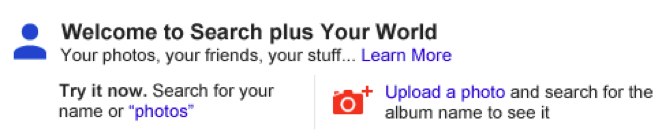
The change is live now, though not everyone will see it until it fully launches over the next few days. It’s only for those signed-in to Google.com and searching in English. You’ll know when it happens, because Google will alert you with a message like this above your search results:

The new system will perhaps make life much easier for some people, allowing them to find both privately shared content from friends and family plus material from across the web through a single search, rather than having to search twice using two different systems.
However, Search Plus Your World may cause some privacy worries, as private content may appear as if it is exposed publicly (it is not). It might also cause concern by making private content more visible to friends and family than those sharing may have initially intended.
The new format and features will also likely cause Google to come under renewed fire that it is leveraging its search engine to favor its own content and crowd out competitors.
 

SEO TIPS Copyright © 2012 Fast Loading -- Powered by Blogger